Connect ChatGPT to Typetoe
If you have a ChatGPT subscription and you are in it every day anyway, you can work on your Typetoe manuscript without leaving it. ChatGPT reaches your project, reads the chapters, the character sheets and the locations, and follows the rules you set in the charter. No API key is needed and there is no token counter: the costs and limits stay the ones of your ChatGPT plan.
Before you start
What you need
A Typetoe account with at least one project in it, and either the browser or ChatGPT's desktop app. The iPhone app has no section for adding a custom plugin from a URL, so from a phone you go through the browser anyway.
And there is a switch to flip first, or the “Plugins” entry does not appear at all: developer mode. It is off by default, and the first four steps below exist only to turn it on. ChatGPT marks it as elevated risk, and that is fair in general: it is the switch that lets you add connectors OpenAI has not vetted — Typetoe among them. The usual rule applies, add only the ones you trust.
About your plan: custom plugins need a paid subscription — Plus, Pro, Business or Enterprise. That is the main difference from Claude, which accepts one custom connector on the free plan too.
Ten steps
Adding the plugin
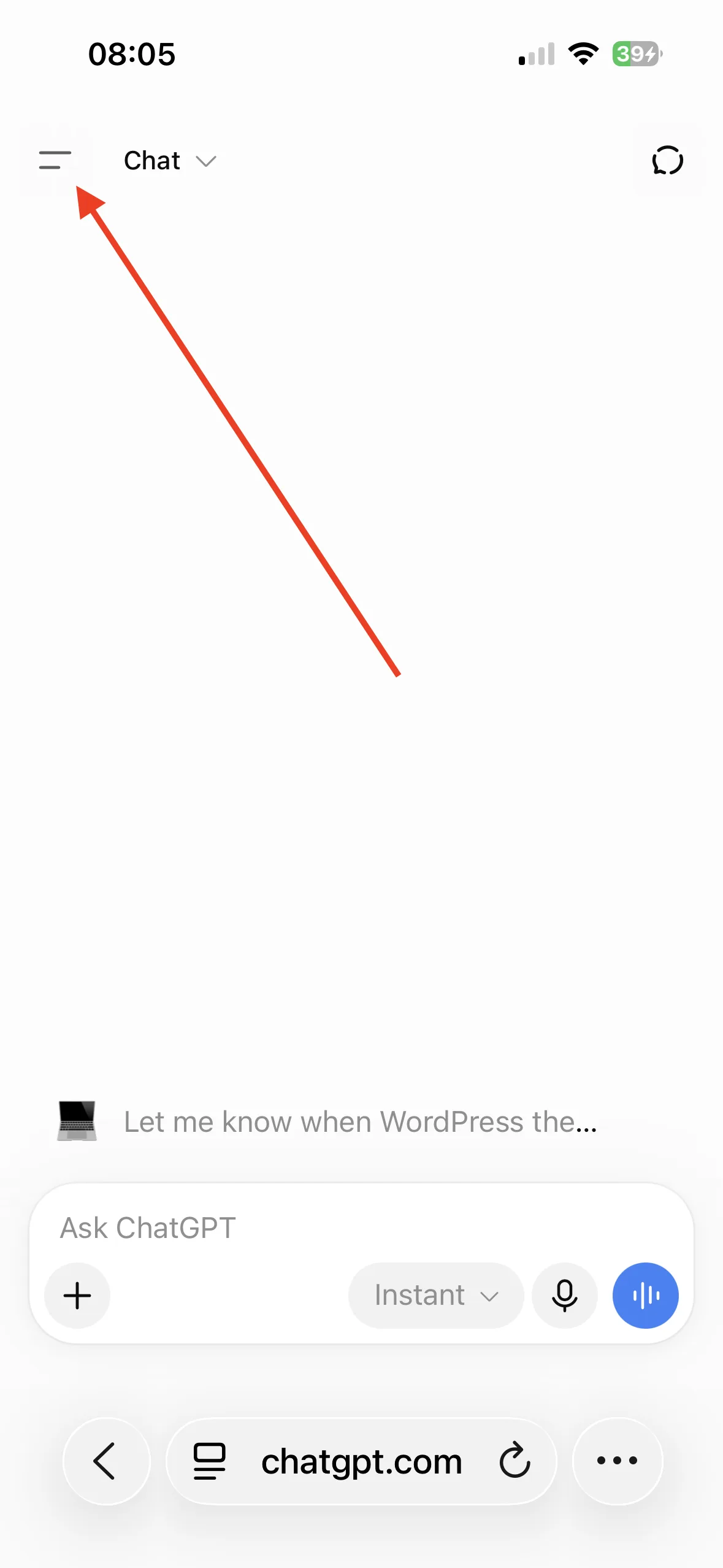
Open ChatGPT in your browser and open the sidebar.
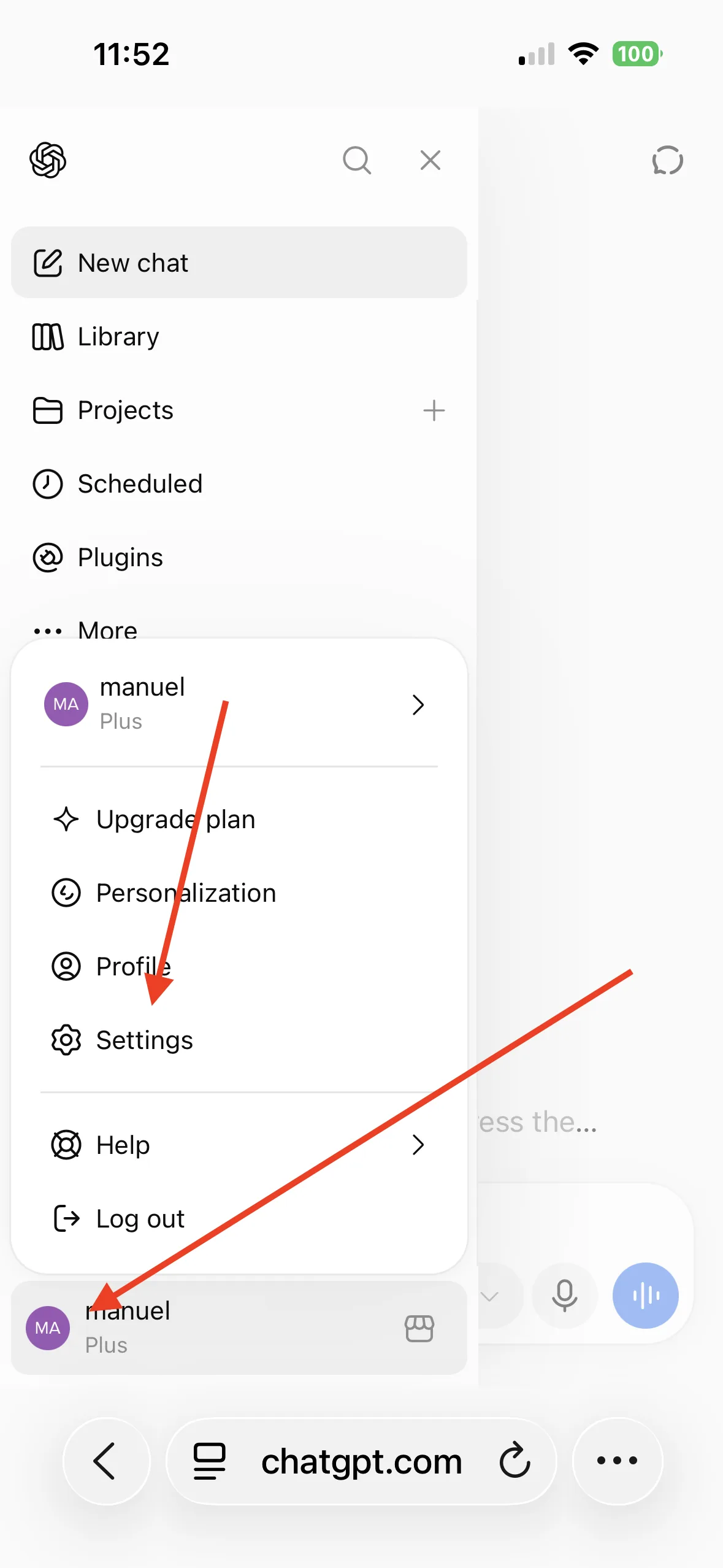
Click your account icon, then Settings.
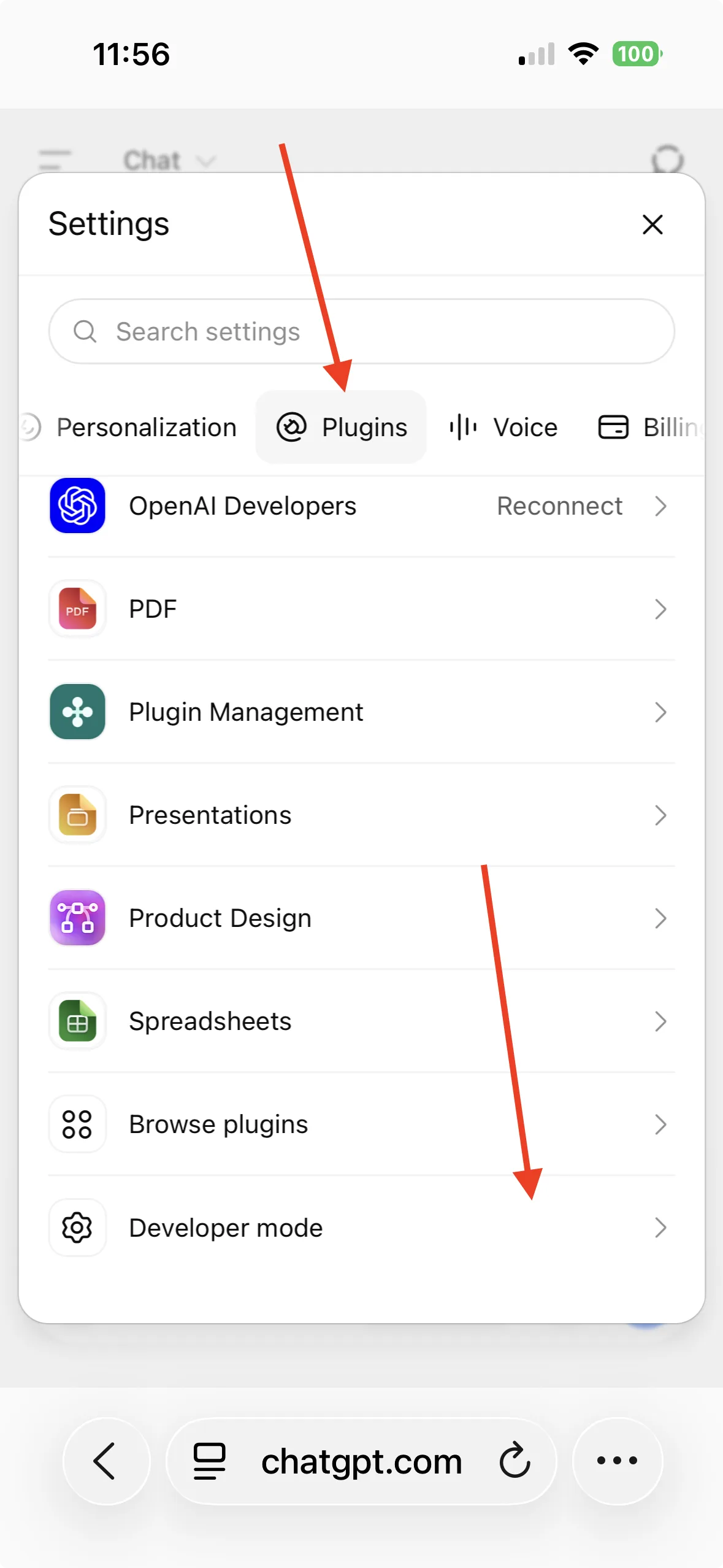
Scroll the tabs along to “Plugins”, then scroll to the bottom of that tab.
At the bottom you will find “Developer mode”. Turn it on.
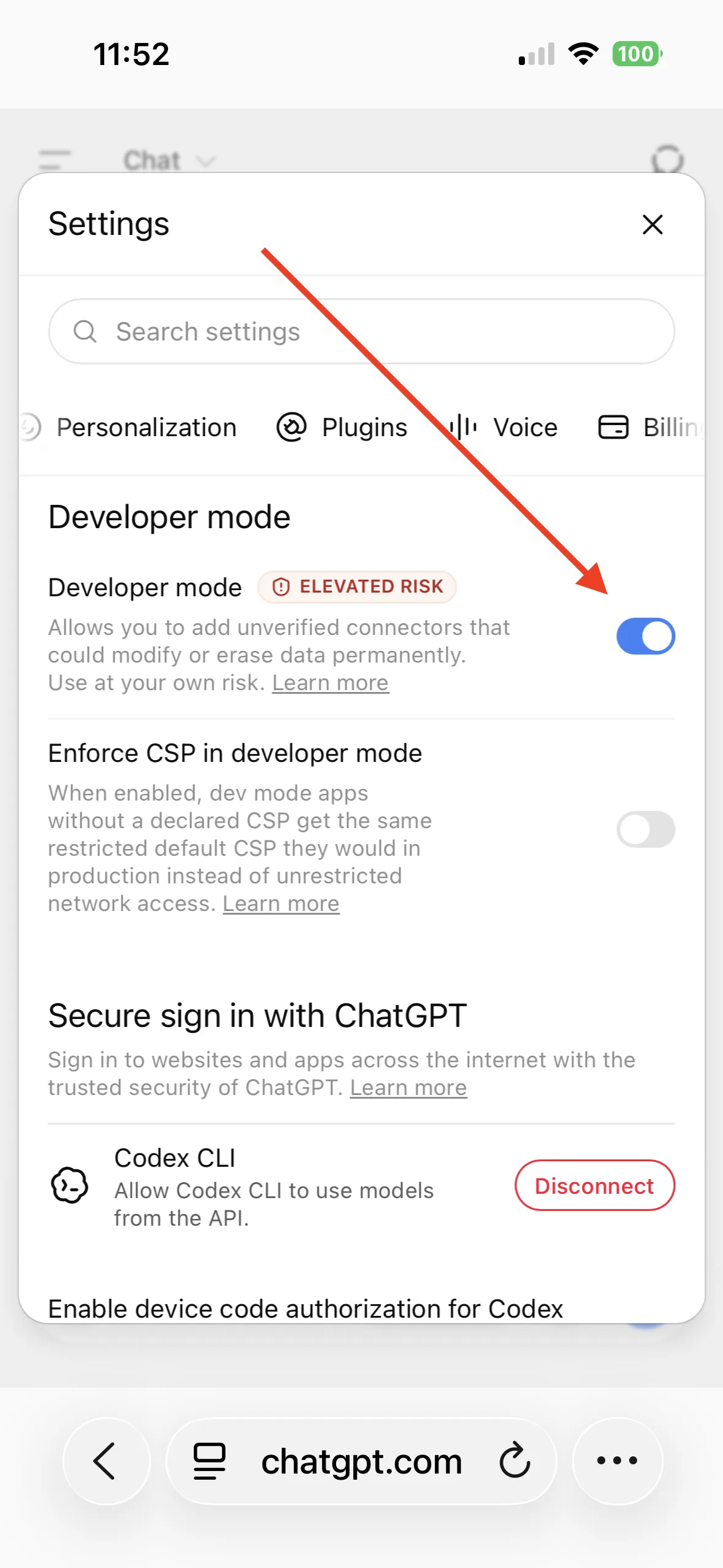
This is the switch ChatGPT itself marks as elevated risk. Back to the sidebar: the “Plugins” entry is there now.
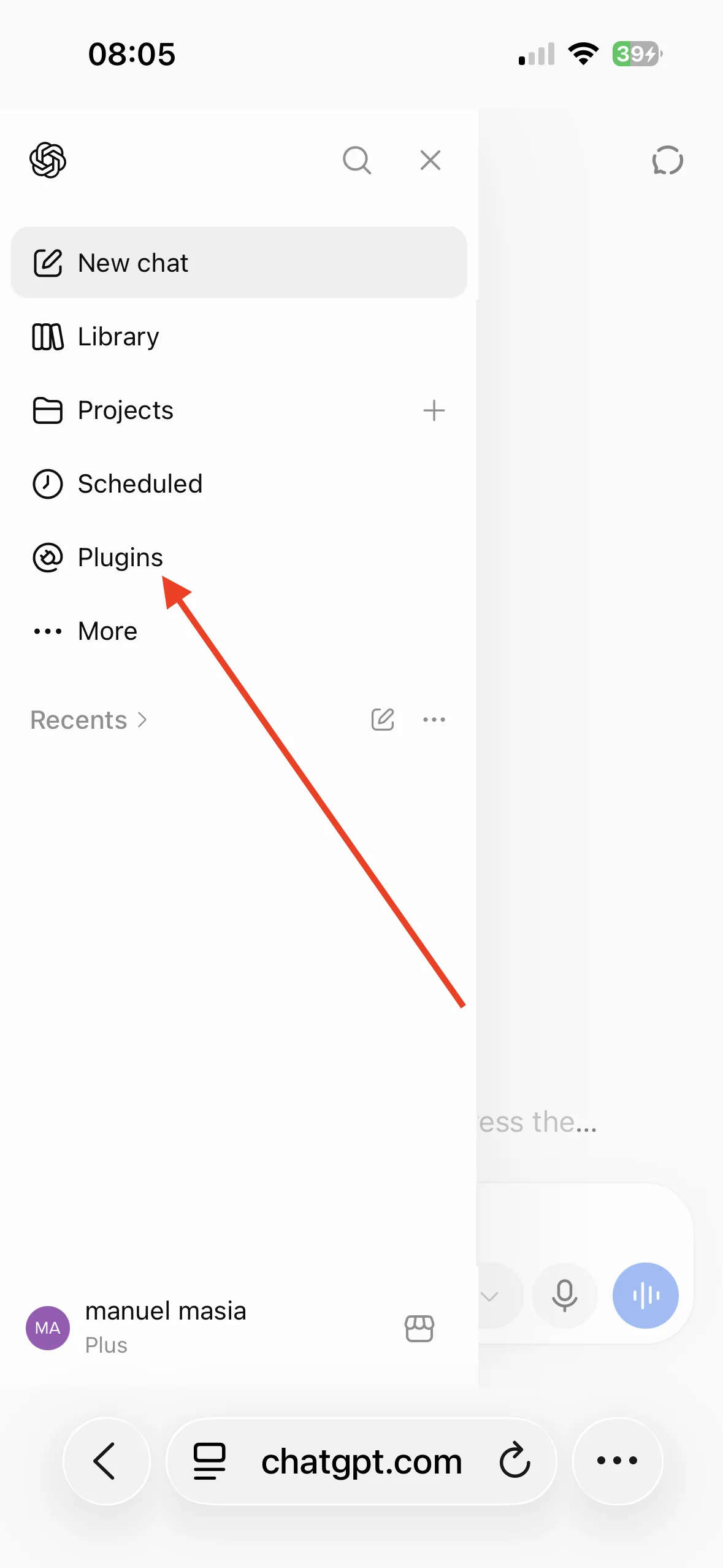
Click the + beside the search field.
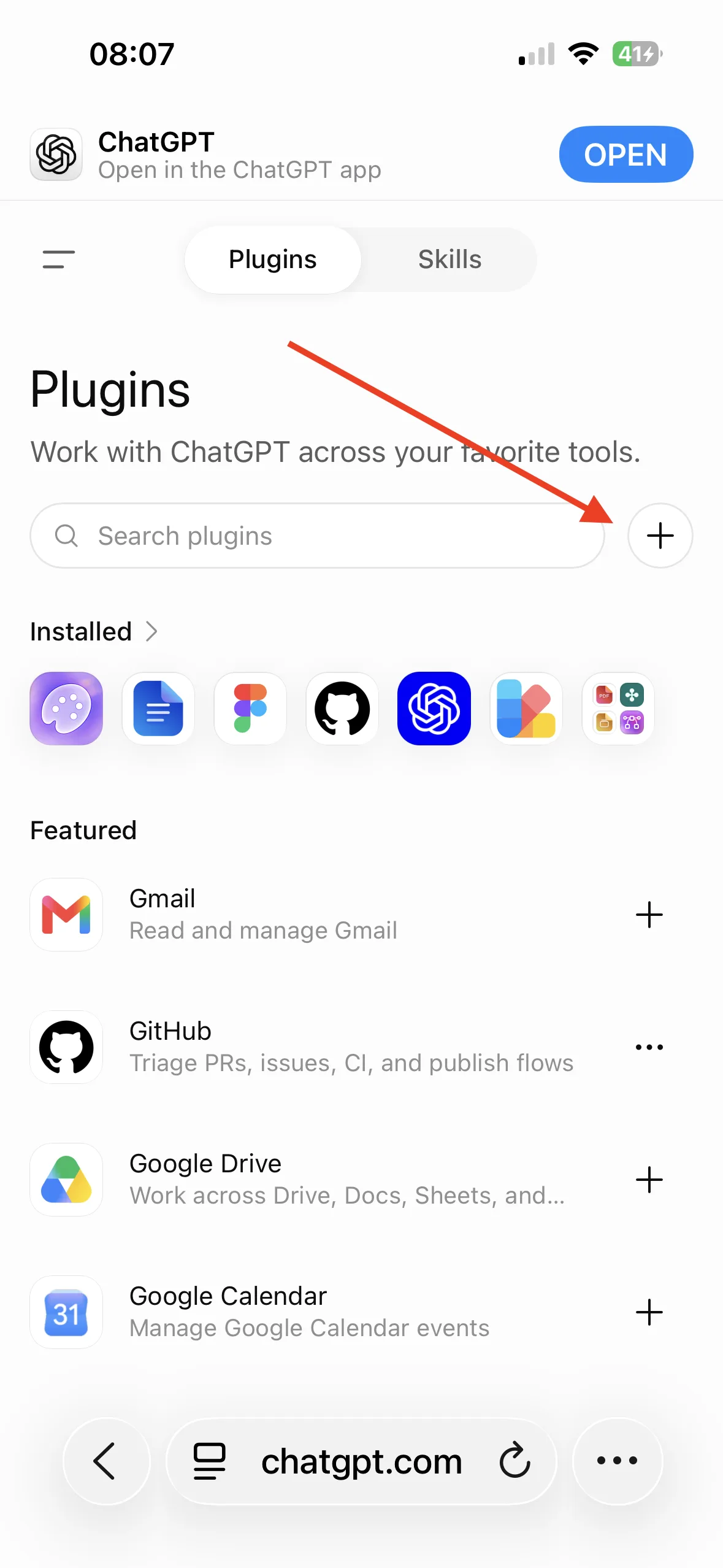
Give the plugin a name — “Typetoe”, “Typetoe App”, whatever suits you — and paste the exact address ChatGPT needs in order to reach your account:
https://app.typetoe.com/mcp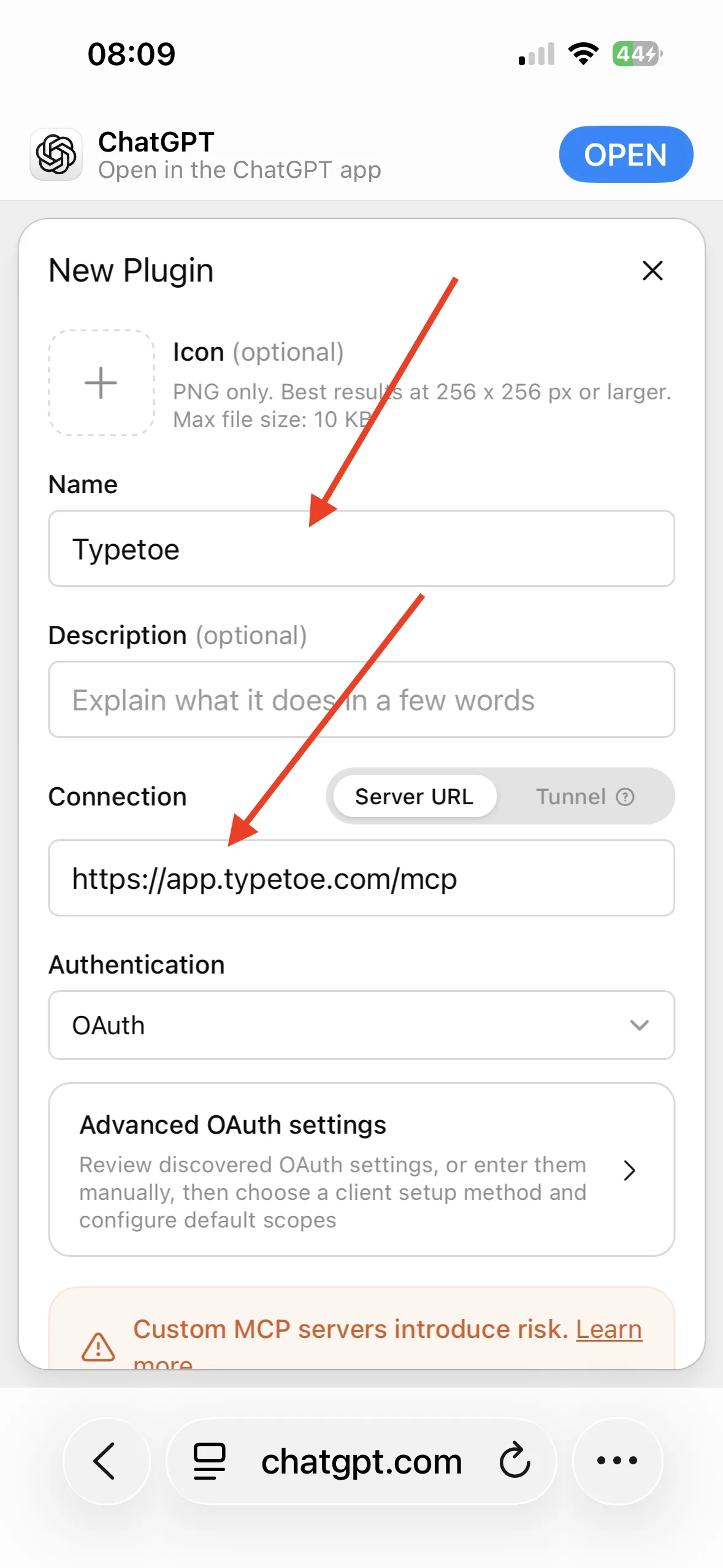
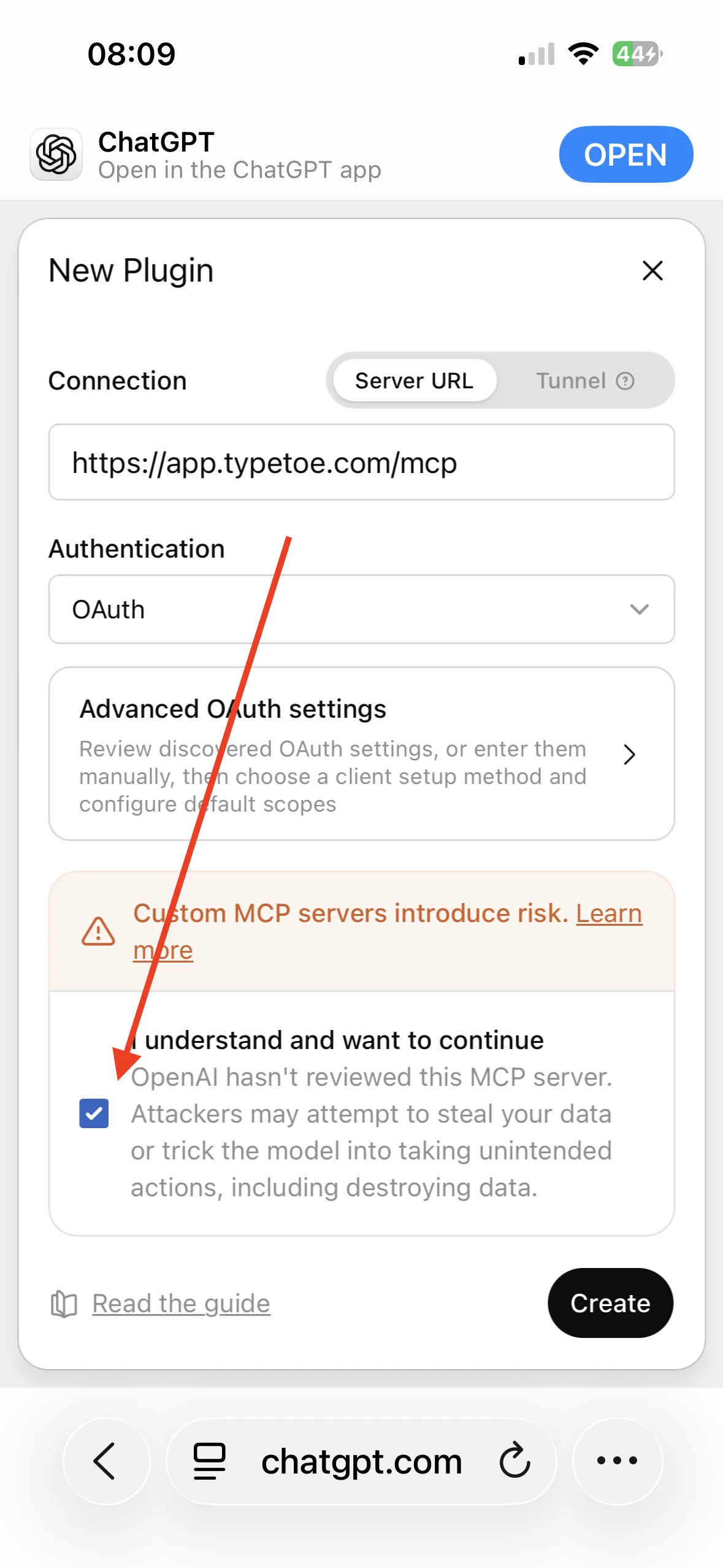
The icon field wants a PNG of 256×256 or larger, under 10 KB. Ours is ready at typetoe.com/typetoe-connector.png Scroll to the bottom, agree to continue and click “Create”.
Click “Sign in with Typetoe” to link your account.
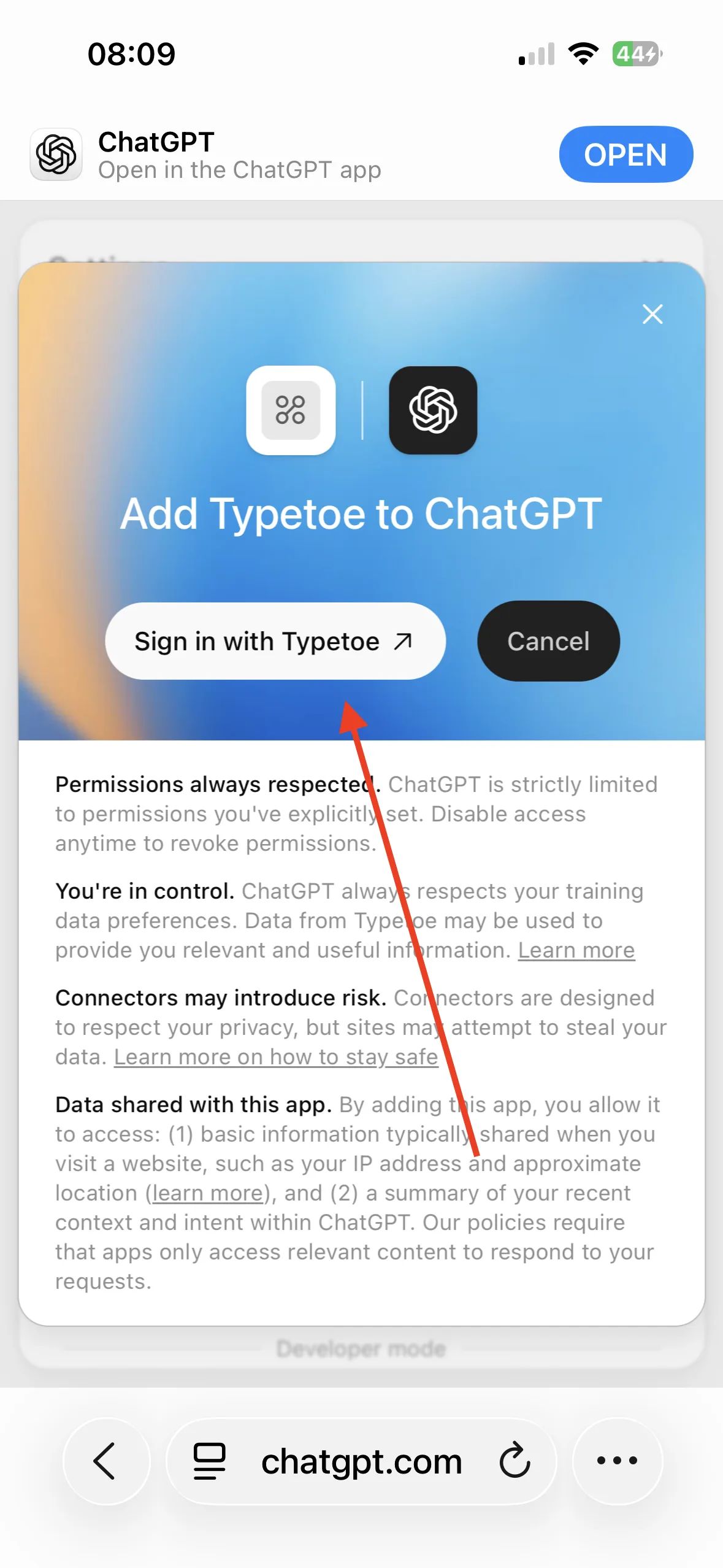
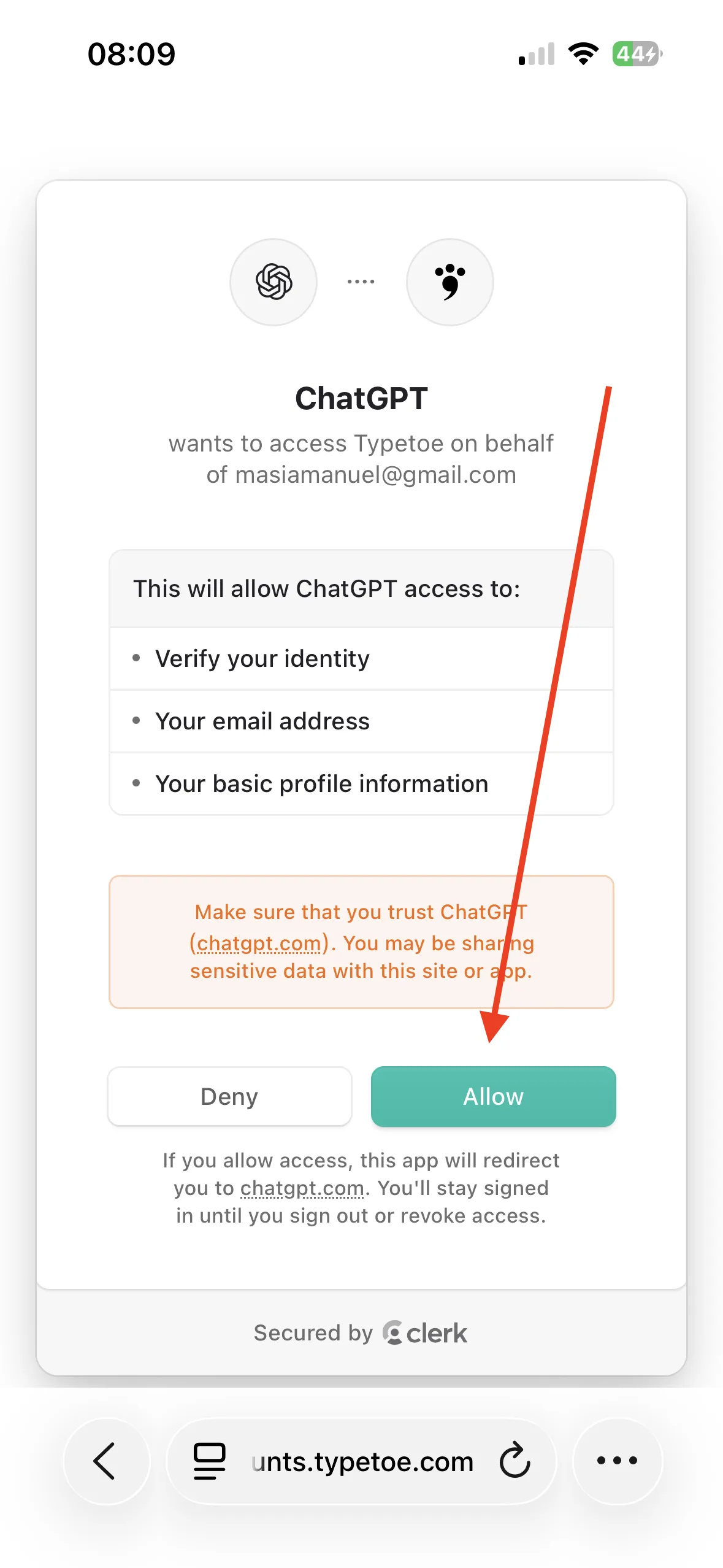
You are sent to the Typetoe sign-in: sign in with your credentials, then authorise ChatGPT to reach your account.
If you change your mind
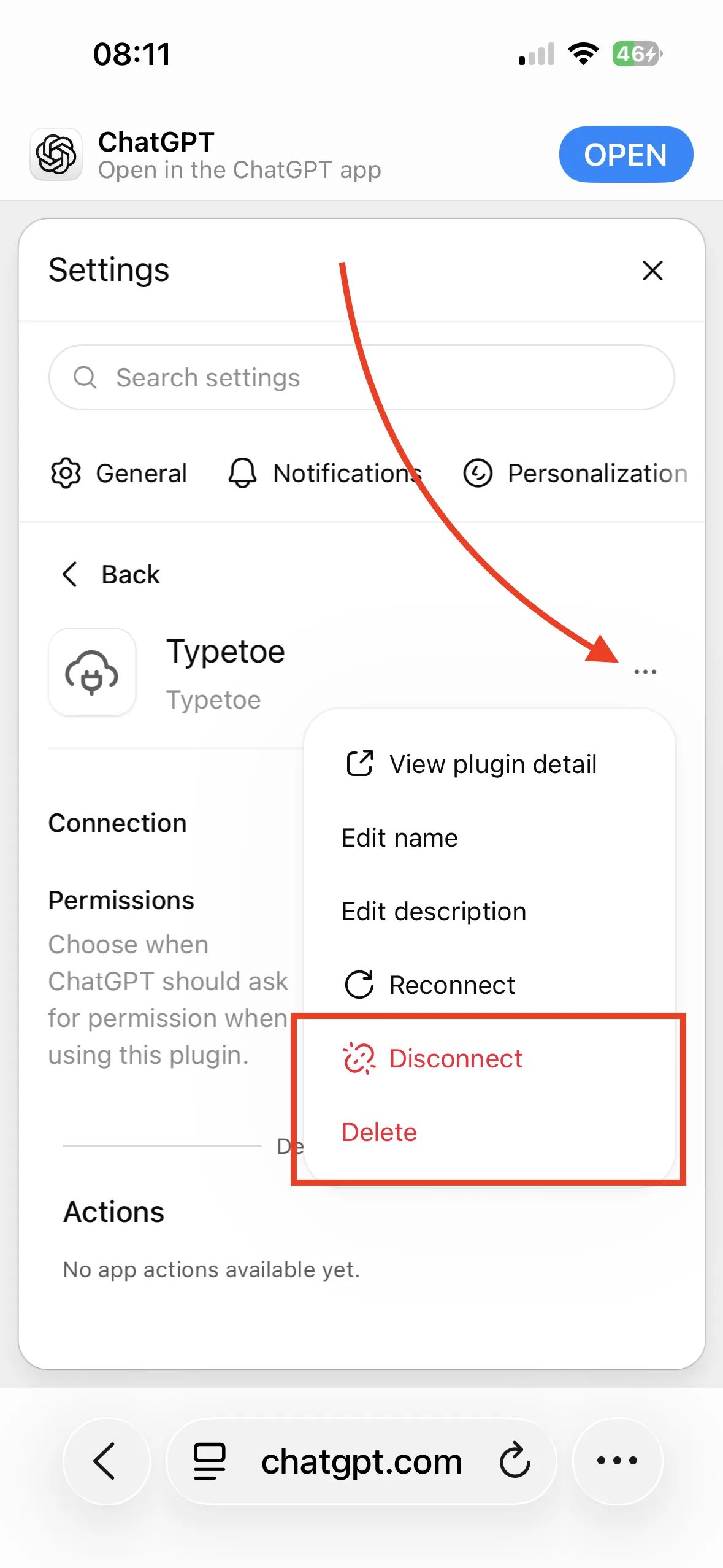
Disconnecting or removing
The link breaks whenever you want, and the plugin comes off the list entirely.
This is where it begins
The first question
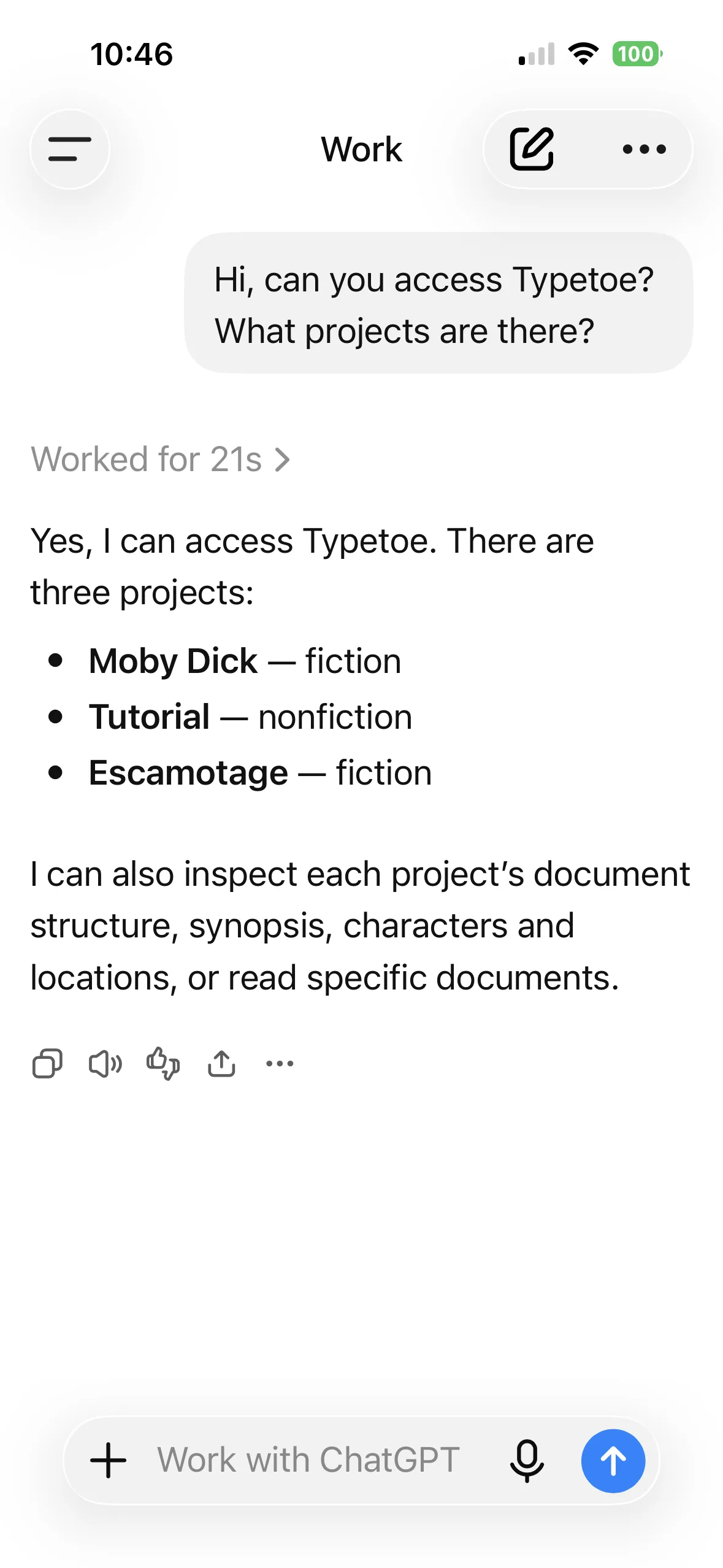
Open a new chat and ask it to reach your project. A good opening question is: Can you reach Typetoe? What projects do you see?
ChatGPT will ask your permission before using the tools.
ChatGPT is connected to your account, not to one project: inside a chat it is worth saying which project you mean.
What it is good at
Why ChatGPT in particular
Writers used to thinking out loud tend to prefer it: in long brainstorming sessions, the kind where a scene gets taken apart and put back together ten times, many find it the most comfortable.
It is not a fixed ranking. On subtext Claude still seems ahead, and these things move with every release — which is the reason Typetoe ties you to neither.